> For the complete documentation index, see [llms.txt](https://docs.hellohakuna.com/llms.txt). Markdown versions of documentation pages are available by appending `.md` to page URLs; this page is available as [Markdown](https://docs.hellohakuna.com/integration-guides/shopify-app-integration/further-settings/adjust-your-invoice.md).
# Adjust your invoice
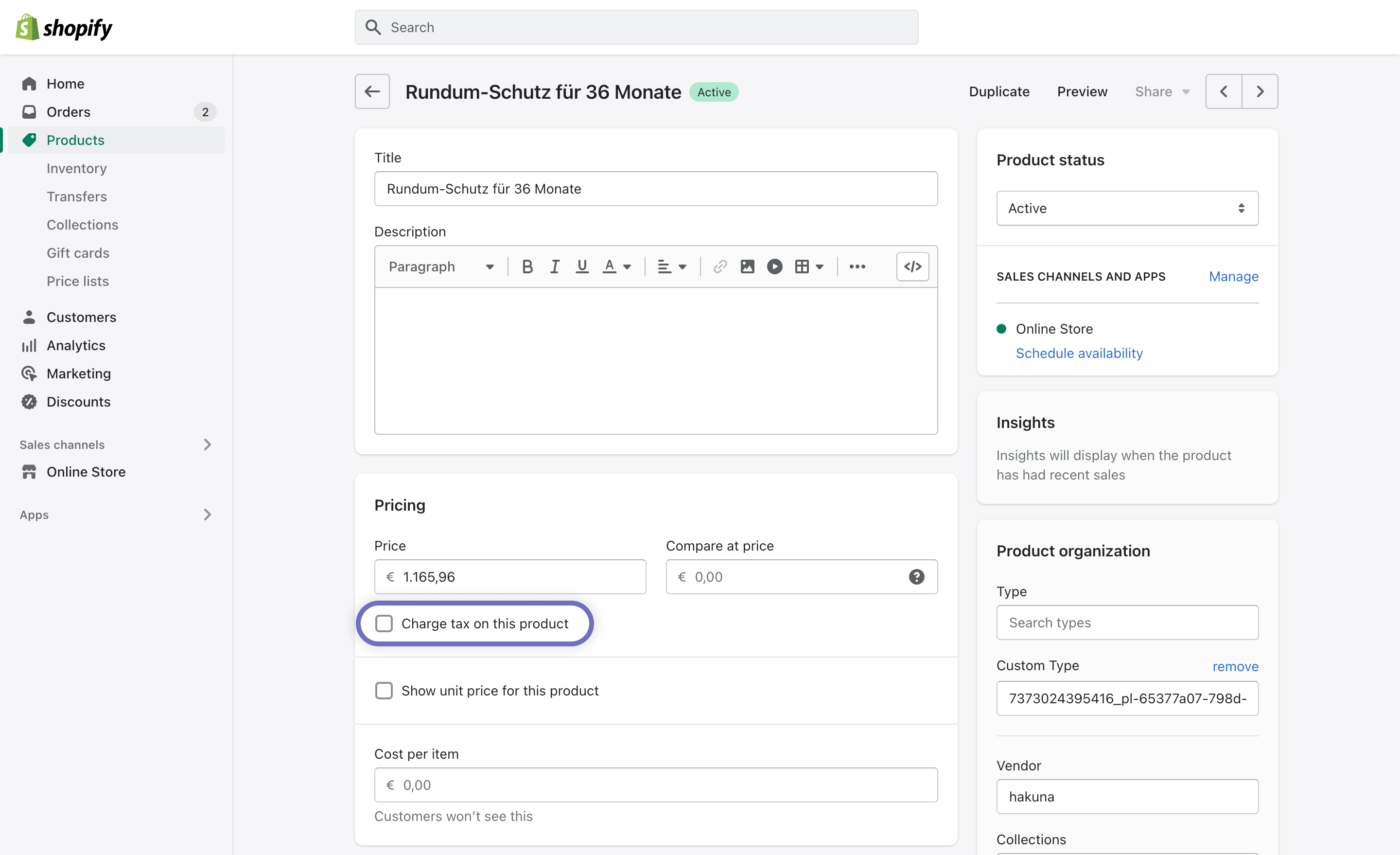
The Hakuna app will create pretection products in your product catalog. Since the price already includes insurance tax, it is exempt from other tax (e.g. VAT). The **Charge tax on this product** option will be unchecked by default on all Hakuna product protection so you won't need to change anything.
Hakuna product protection is exempt from tax
#### Display Hakuna correctly on your invoices
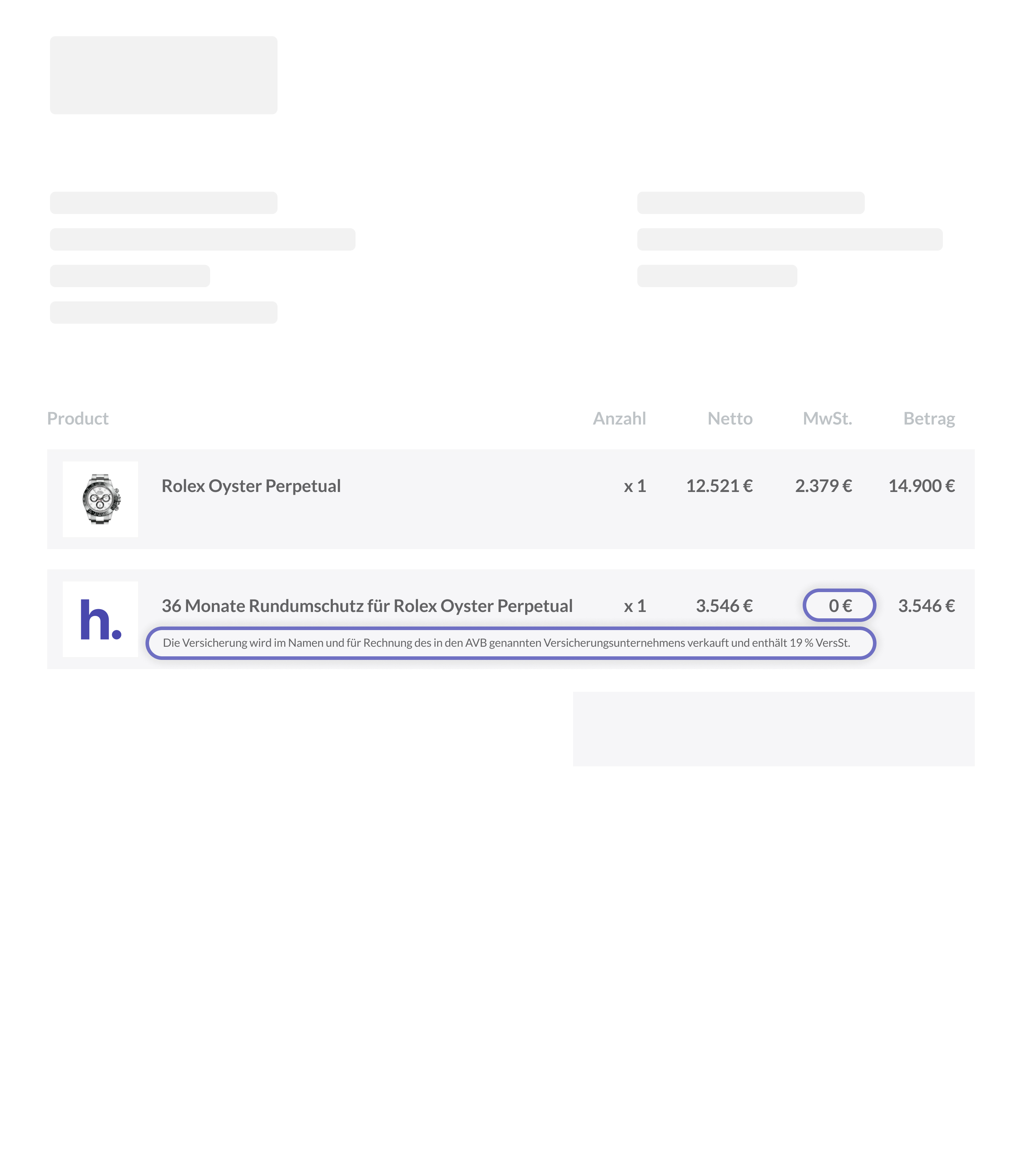
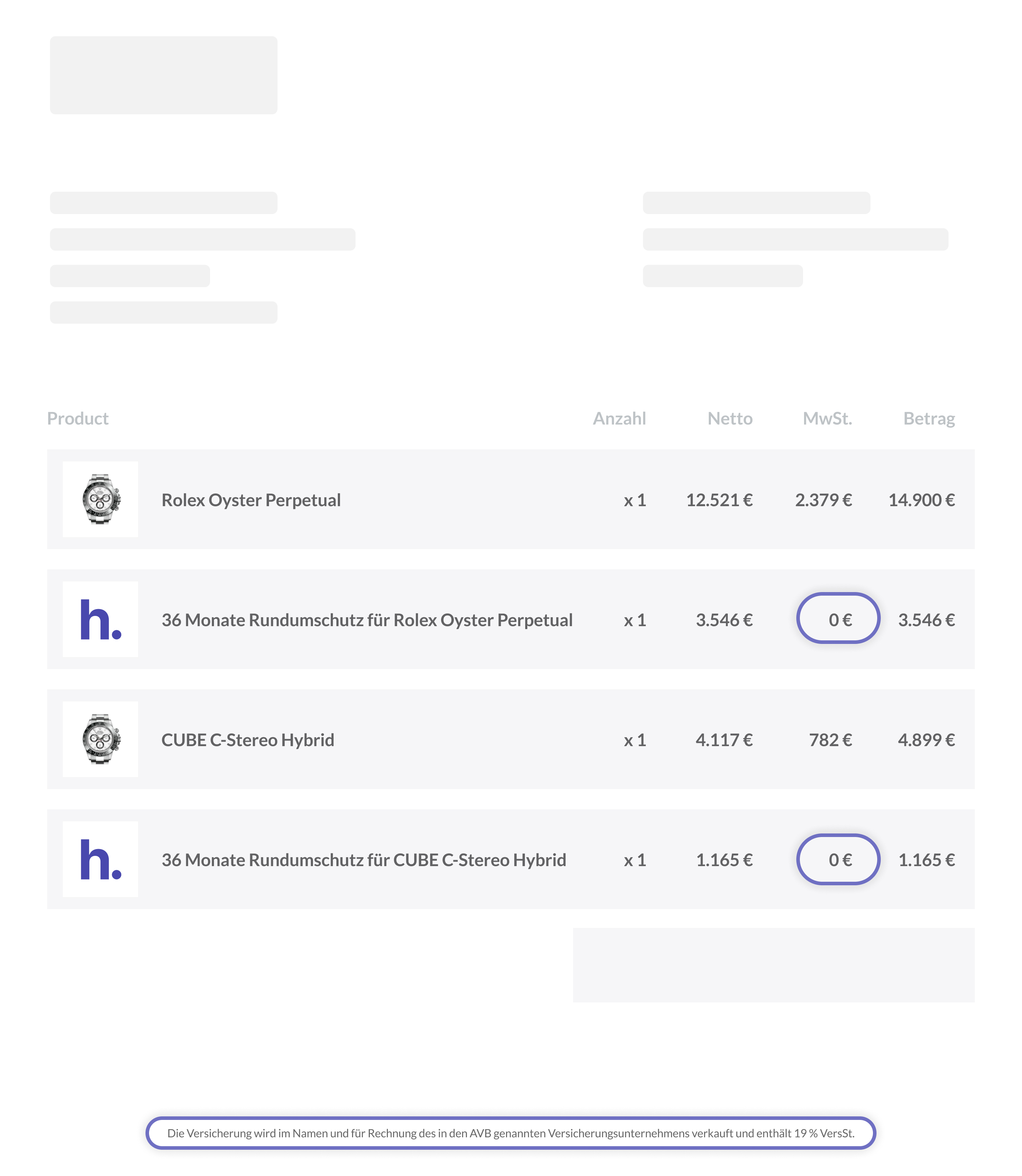
* Make sure that you list the **gross price** **without VAT** for each Hakuna product protection plan on your invoice
* Add the following **disclaimer** to your invoice, either next to each Hakuna product or once, e.g. in the footer:
> *Die Versicherung wird im Namen und für Rechnung des in den AVB genannten Versicherungsunternehmens verkauft und enthält 19 % VersSt.*
> *The insurance is sold on behalf of and for the account of the insurance company specified in the General Insurance Conditions and includes 19% IPT.*
{% tabs %}
{% tab title="Option 1" %}
#### Show disclaimer next to each product
{% endtab %}
{% tab title="Option 2" %}
#### Show disclaimer in the invoice footer
{% endtab %}
{% endtabs %}